
FABREASY DRAG & DROP FOR MAC
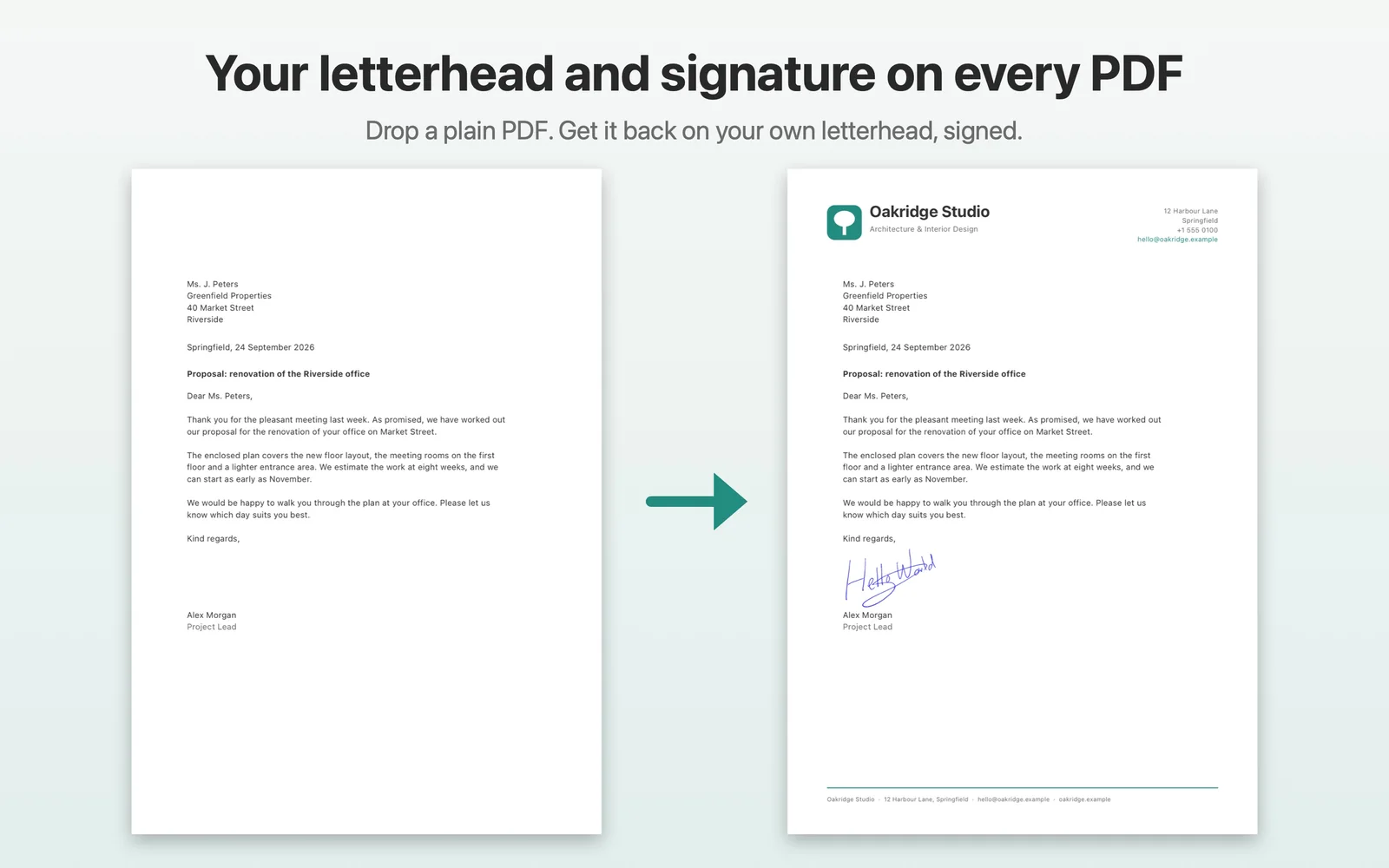
Your letterhead and signature on every PDF. On your Mac.
Set it up once. Then drag a document to Save, Email or Print. Fabreasy applies your letterhead and handwritten signature automatically, without uploading the document.
Free keeps working. The download version includes all Pro features for the first 14 days, with no account or card.
HOW IT WORKS
Three steps. After that, drag and drop is enough.
Set up your letterhead once
Use a PDF of your letterhead. Add a continuation sheet if later pages need a different layout. A sample set is included.
Add your signature
Use a photo or your Mac camera. Fabreasy removes the background and creates a transparent handwritten signature.
Drag your document
Drop one or several files on Save, Email or Print. Fabreasy creates the finished PDF with the selected letterhead and signature.
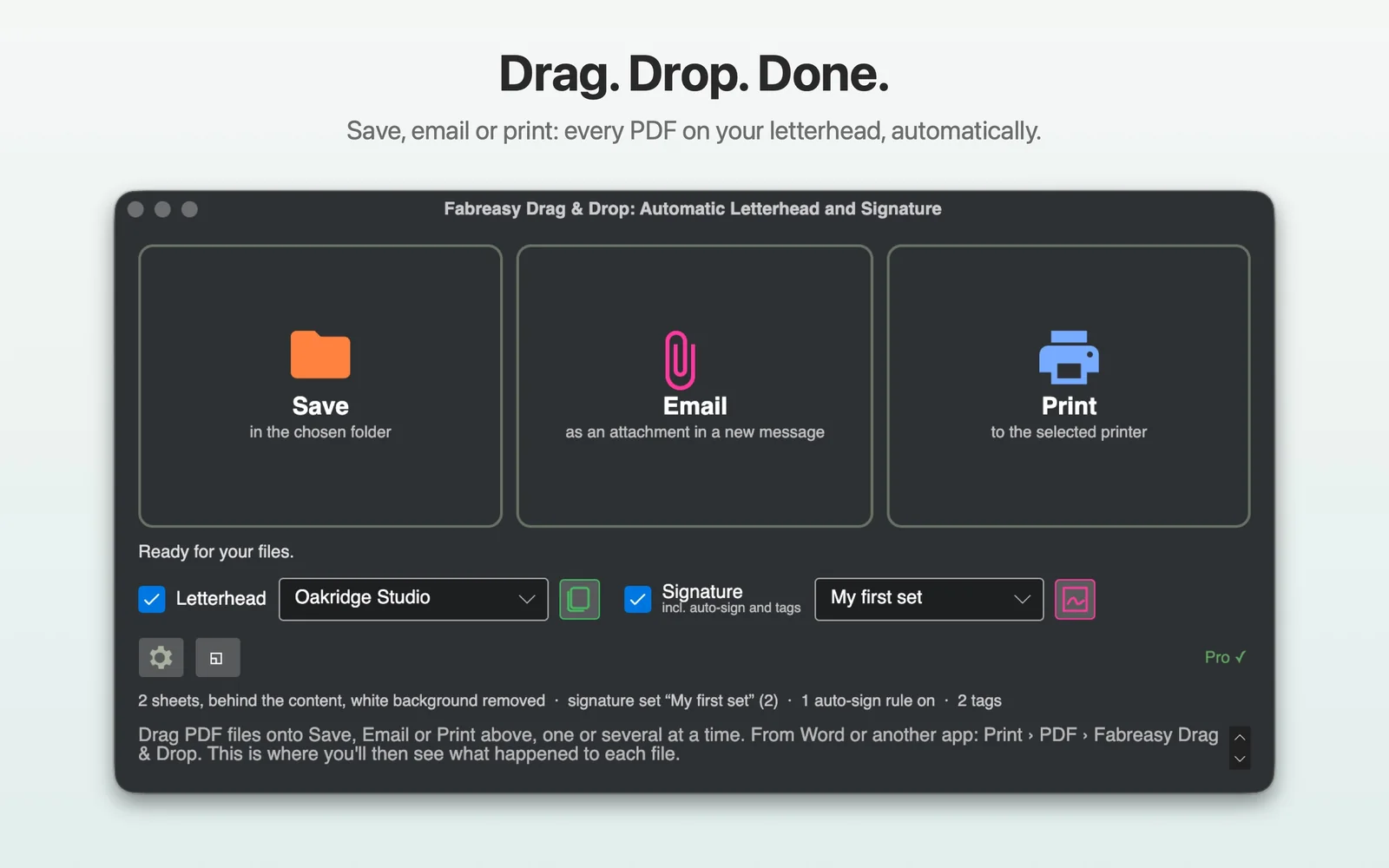
Save, Email or Print. The target tells Fabreasy what to do.
The main window stays deliberately simple. Choose your Letterhead Set and Signature Set, then drop files on the result you want. Save is included in Free. Email and Print are Pro.
MORE THAN A PDF OVERLAY
Set the rules once. Reuse them for every document.
Letterhead Sets
Use different branding for invoices, letters or companies. Pro supports several sheets per set, each on the pages you choose.
Signatures and initials
Choose the signature, position, size and pages. Pro can combine initials on every page with a full signature on the last.
Watched Folders
Give each watched folder its own Letterhead Set and Signature Set. New files are processed automatically. Pro.
Email and Print
Email opens a new message in Apple Mail or Outlook with the finished PDF attached. Print sends it straight to your printer. Pro.
LETTERHEAD
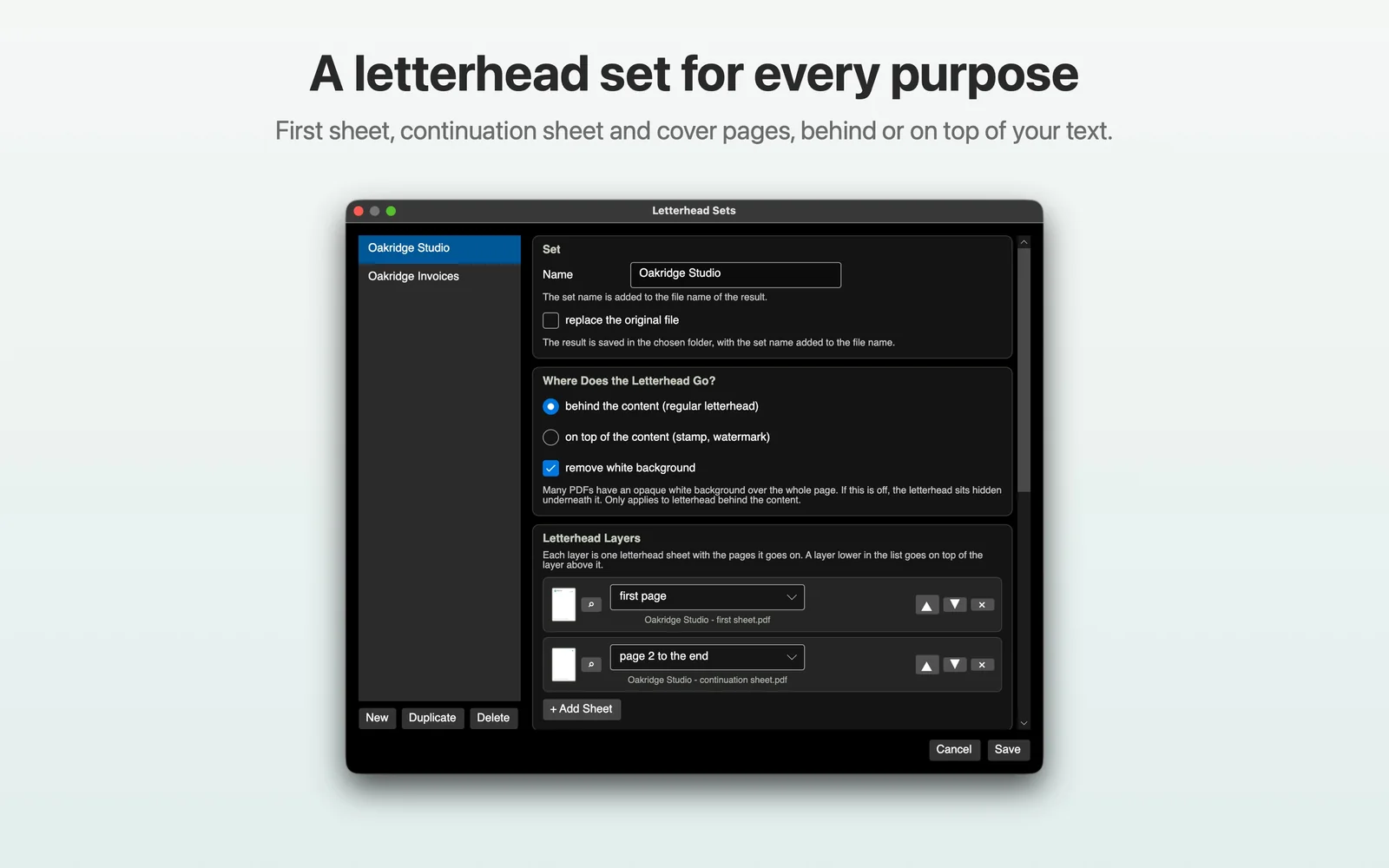
Different pages can use different letterhead sheets.
A Letterhead Set can contain a first page, a Continuation sheet and other sheets. Pro lets you target all pages, the first page, page 2 onward, a range, odd or even pages, every n-th page or the last page. Cover Pages and Back Pages can be added as attachments such as terms and conditions.
SIGNATURE
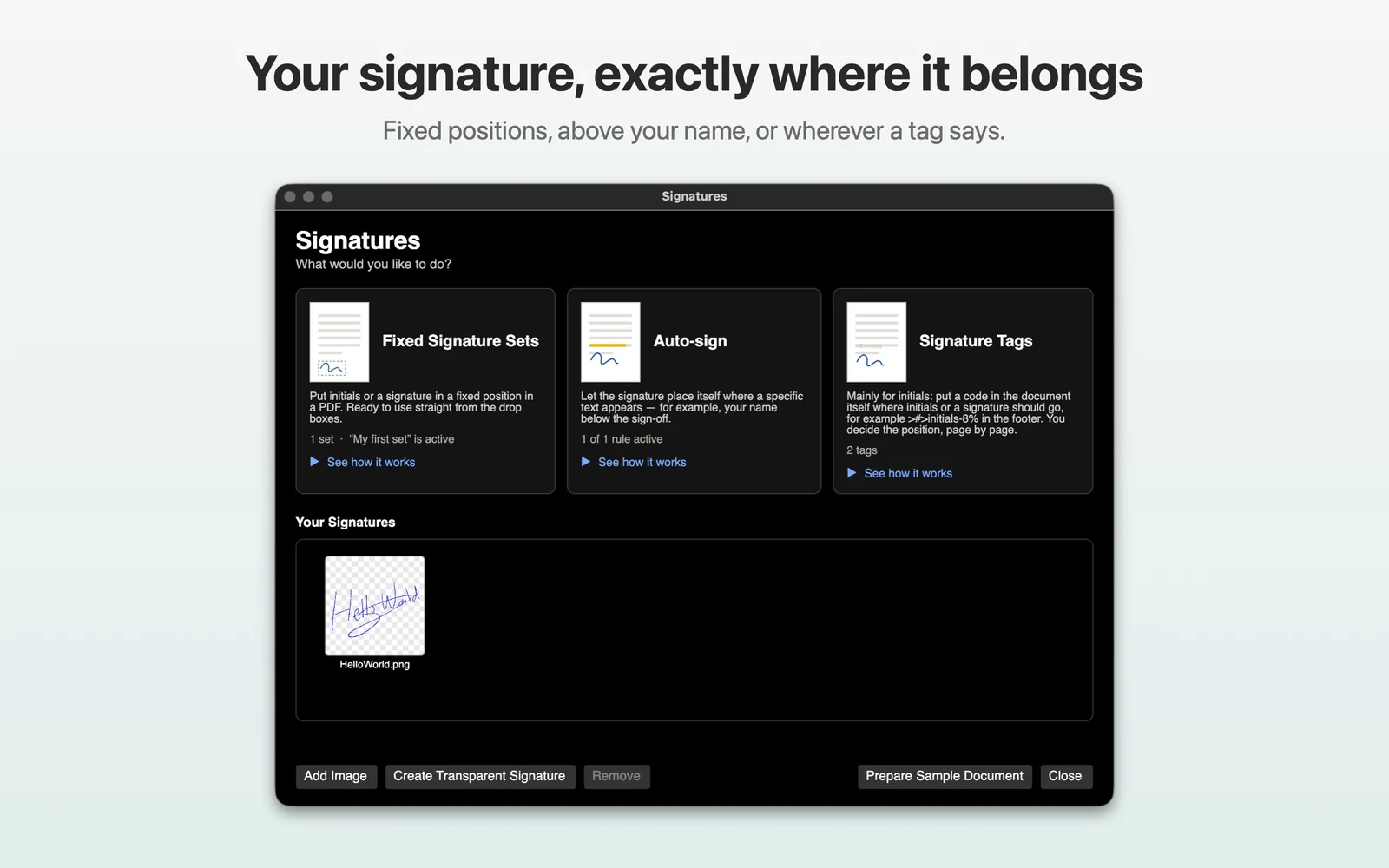
Your signature can follow the document, not a fixed coordinate.
A Signature Set controls signature and initials placement. With Pro, Auto-sign can find a name in the PDF text. Signature Tags give you exact placement from the source document. A scan without a text layer cannot be found by Auto-sign.
FREE OR PRO
Free is a real free version. Pro removes the limits.
There is no countdown on Free. You can keep using Save with one Letterhead Set, one sheet and one signature. The download version simply lets you use everything in Pro during the first 14 days.
| Feature | Free | Pro |
|---|---|---|
| Save as PDF | Included | Included |
| Email and Print | Not included | Included |
| Letterhead Sets | 1 | Unlimited |
| Sheets per Letterhead Set | 1 sheet on all pages | Several sheets with page rules |
| Signature Sets | 1 | Unlimited |
| Auto-sign | Not included | Included |
| Watched Folders | Not included | Included |
LOCAL BY DESIGN
Your documents stay on your Mac.
Documents, letterhead and signatures are processed locally and are never uploaded. The app contains no advertising, no tracking and no third party analytics code. Optional anonymous usage figures contain counts only and can be switched off.
SYSTEM REQUIREMENTS
Built for current Intel and Apple Silicon Macs.
FAQ
Questions about Fabreasy Drag & Drop for Mac
Is Fabreasy Drag & Drop free?
Yes. Free has no time limit. It includes Save, one Letterhead Set with one sheet on all pages, and one signature on one placement.
What does Pro add?
Pro adds Email and Print, multiple letterhead and signature sets, continuation sheets, cover and back pages, password protection, Email Templates, Auto-sign, Signature Tags and Watched Folders.
Can I try Pro?
Yes. The Fabreasy download includes 14 days of Pro with no account or card. In the Mac App Store, new subscribers get the first 2 weeks free.
Are my documents uploaded?
No. Documents, letterhead and signatures are processed on your Mac.
Does it work with Word and Excel?
Yes. The download version accepts Word and Excel files directly and uses Word or Excel on your Mac to create the PDF. From any app you can also use Print › PDF › Fabreasy Drag & Drop.
How do I add my signature?
Photograph your handwritten signature or use your Mac camera. Fabreasy removes the background so the result is transparent.
Is this a legally qualified electronic signature?
No. Fabreasy places an image of your handwritten signature. It does not sign with a certificate and it is not a signing service with an audit trail.
Which email apps work?
Apple Mail and Microsoft Outlook. Fabreasy opens a new message with the processed PDF attached. You review and send it yourself.
What are Watched Folders?
Watched Folders process every file placed in them automatically using the Letterhead Set and Signature Set assigned to that folder. This is a Pro feature.
Which Macs are supported?
macOS 13 Ventura or later is required. Fabreasy runs on Apple Silicon and Intel Macs.
What happens when the Pro trial ends?
The app keeps working as Free. Nothing is deleted. Extra sets, signatures and rules become available again when Pro returns.
Download or Mac App Store: which should I choose?
Both are the same app. The download version accepts Office, Pages and Numbers files directly and uses a Fabreasy license. The App Store version uses Apple distribution and can use a yearly subscription or a Fabreasy license.
Can I use a Fabreasy license in the App Store version?
Yes. A Fabreasy license key also works in the Mac App Store version.
Is there a Windows version?
Yes. Fabreasy PDF Creator for Windows is a separate product on the Fabreasy website.
Which languages does the Mac app support?
English, Dutch, German, French and Spanish. The app follows the Mac language or the language selected in Settings.
Make one PDF look right. Then make every PDF look right.
Start with the free version. Set up your letterhead and signature, then drag a document to Save. If you need Email, Print, automation or multiple sets, Pro is already there when you need it.