
Fabreasy PDF Creator
Your letterhead on every PDF. Automatically.
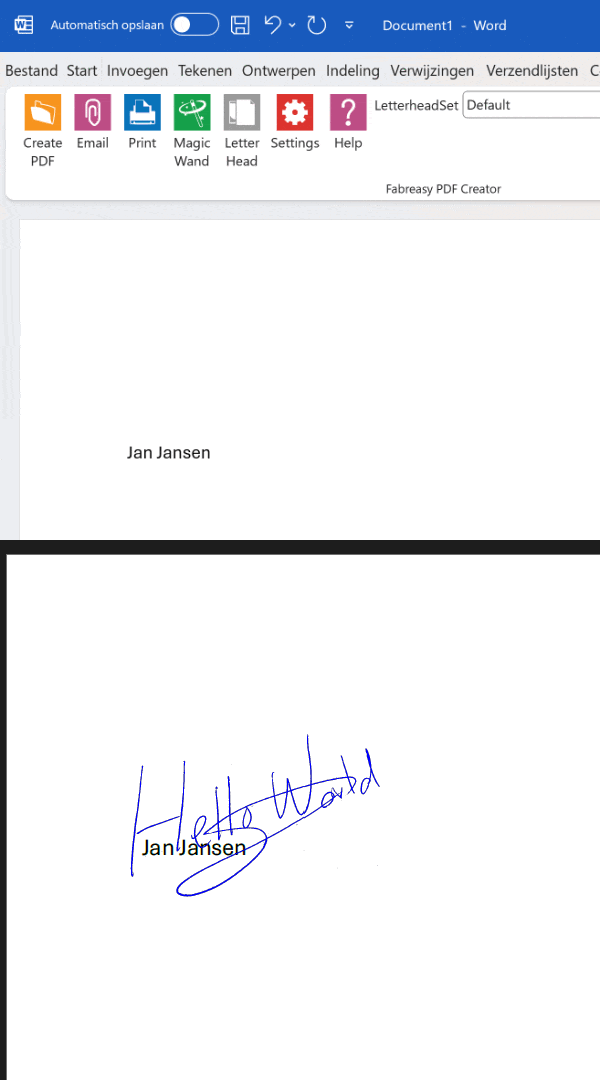
Set up your letterhead once. From then on, every PDF you create from Word, Excel or any Windows program comes out on your letterhead, signature in the right spot. No uploading, no extra steps.
Fully functional 14-day trial. No credit card, no account. Then €33.50 per user per year, excl. VAT.
Just need to add letterhead to one PDF? Use the free online tool · Already a customer? Download / Buy a license
★★★★★ 4.7 on Capterra (38 reviews) · 90% recommend · 1,000+ professionals
Local Windows Software. No Cloud Involved.
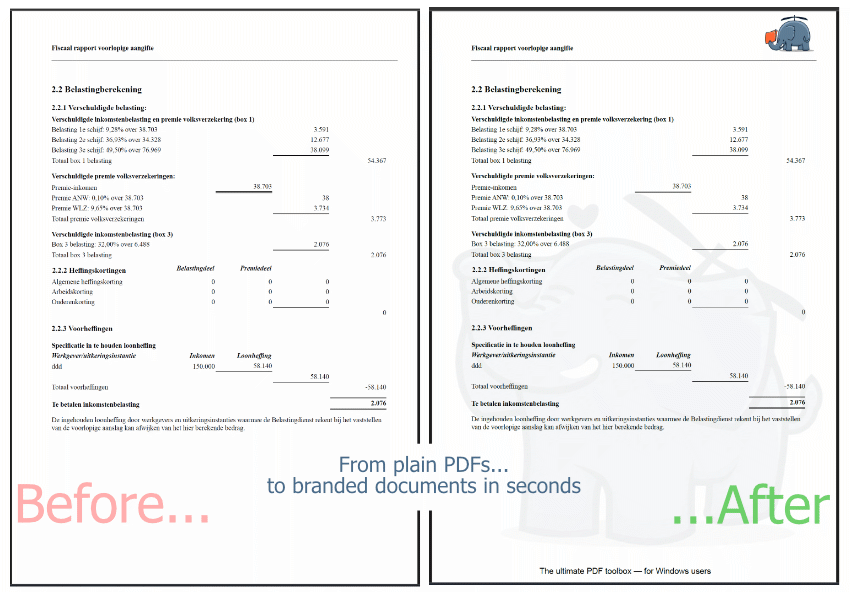
Print to PDF or drag and drop. Fabreasy adds your letterhead and signature to every PDF, in seconds.
See how it works
From document to branded PDF. Without the hassle.
✅ Works with any Windows software that can print
✅ Drag & drop: create PDFs in your own branding with one click
✅ Invoices, quotes and reports always look consistent
✅ Already have PDFs? Just drag and drop them into Fabreasy
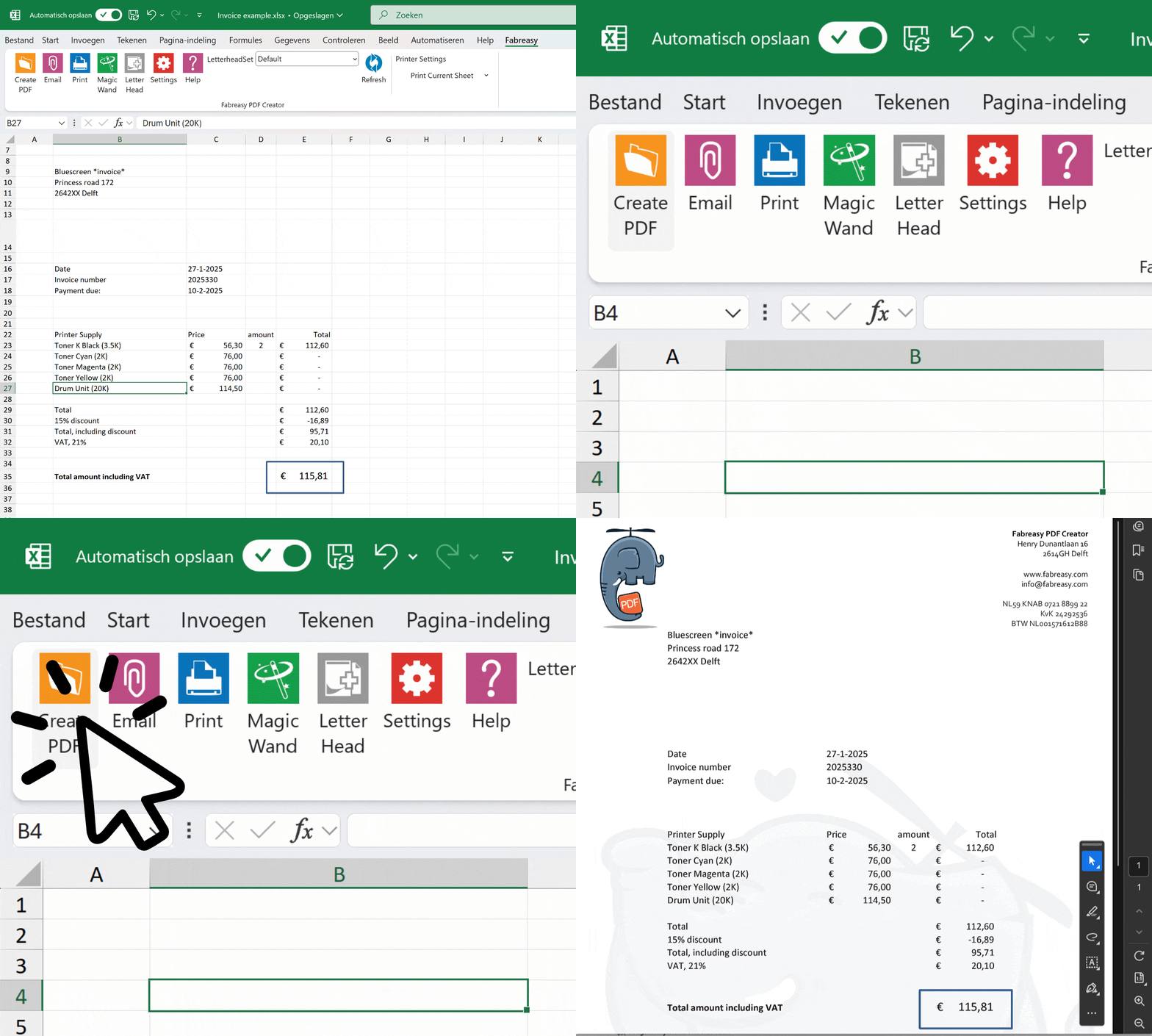
Letterhead Sets
Different branding for different documents
Create separate letterhead sets for invoices, reports, quotations or different companies. Choose the order in which each type of letterhead is applied — and switch between them effortlessly.
Subsidiaries, sub-brands or multiple office locations? Every team always uses the right template.
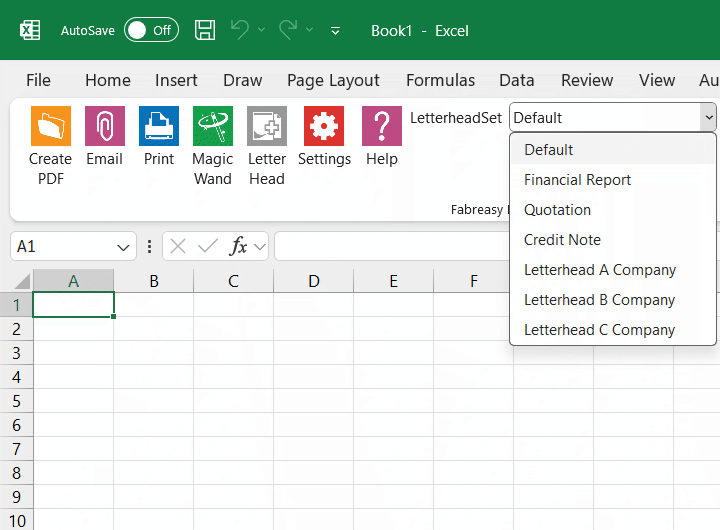
Signature
Signature on the right spot. Always.
Place a signature in a fixed position or dynamically using text recognition. Fabreasy finds the right name in the document and places the signature exactly where it should be.
No transparent signature yet? Quickly create one with our built-in app.
Complete toolkit
Complete PDF solution in one package
Users call Fabreasy a Swiss Army knife for PDFs — a versatile tool
that makes your daily work easier.
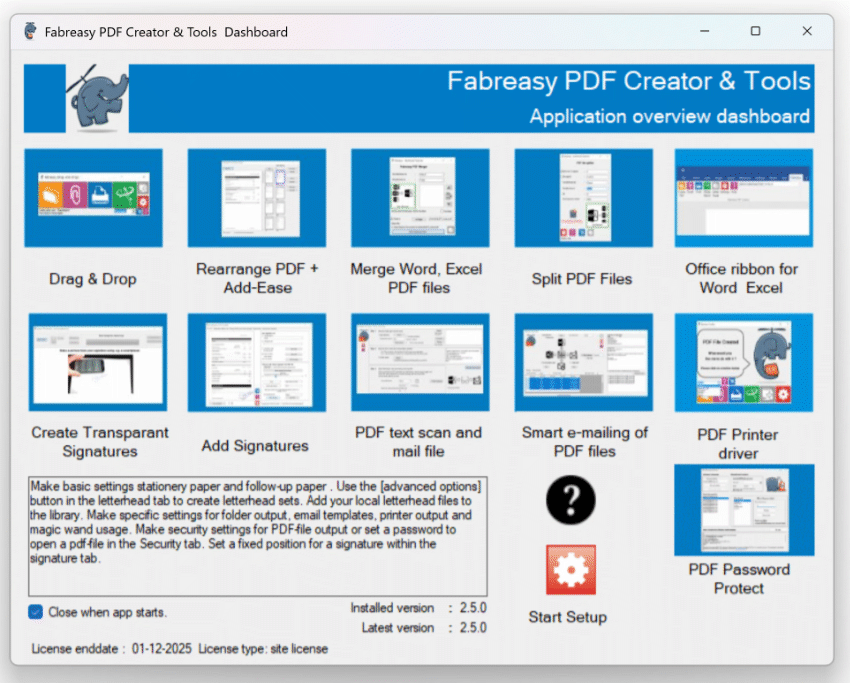
Fabreasy Dashboard
All Fabreasy apps in one clear overview. Quick access to every feature — from letterhead to signatures, from PDF editing to smart emailing.
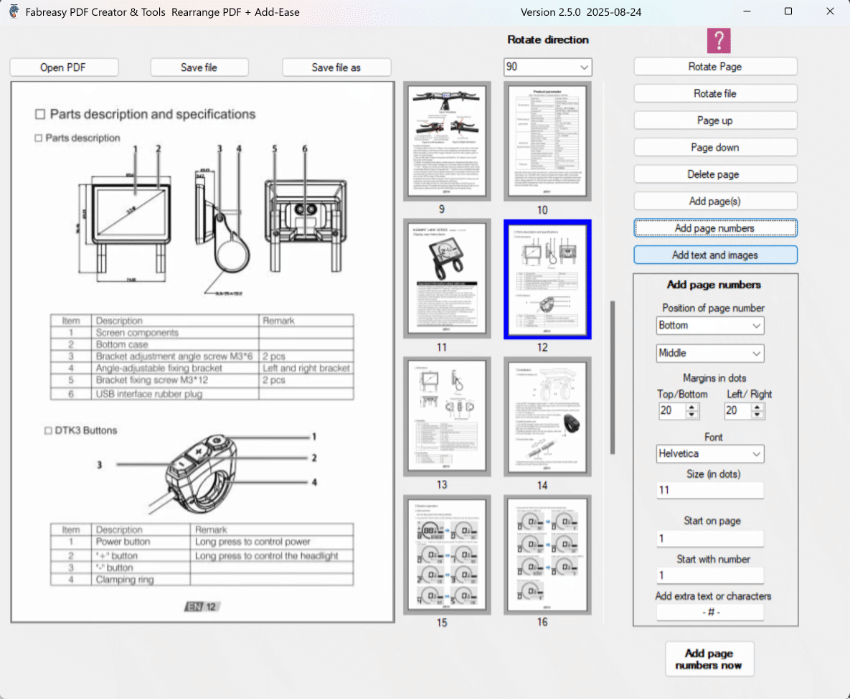
Edit any PDF
Reorder, rotate, delete or add pages. Add text and images directly to existing PDFs with Add-Ease. No separate editor needed.
4.7
★★★★★
based on 38 reviews · Ease of use: 4.6 · Support: 4.7 · Value for money: 4.8 · View on Capterra ↗
★★★★★
“Our reports always look professional. Thanks to Fabreasy, we save a lot of time and costs every single day.”
Petra
Accountant
★★★★★
“My quotes always look polished. My clients might not even notice, but it gives me a real sense of satisfaction.”
Lisa
Entrepreneur
★★★★★
“With Fabreasy, we have simplified our document processes. Less manual work and substantial savings on costs.”
Peter
IT Manager
Used by, among others























Need more?
Also automate the sending
Fabreasy PDF SendReady adds recipient detection, automatic email preparation and a unique password per recipient. The document sends itself.
✓ Recipient read directly from the document
✓ Email, subject and body filled in automatically
✓ Unique password per recipient
✓ PDF added as attachment automatically
Runs locally on your Windows PC · No cloud, no external servers · Documents never processed by third parties · Developed in the Netherlands
Fabreasy pdfixer
Received a PDF that still needs your signature?
Not every PDF starts in Word. Contracts come in from clients, forms from your accountant, scans from the printer. They’re already PDFs, and they still need a signature, initials on every page, a company stamp or a quick correction.
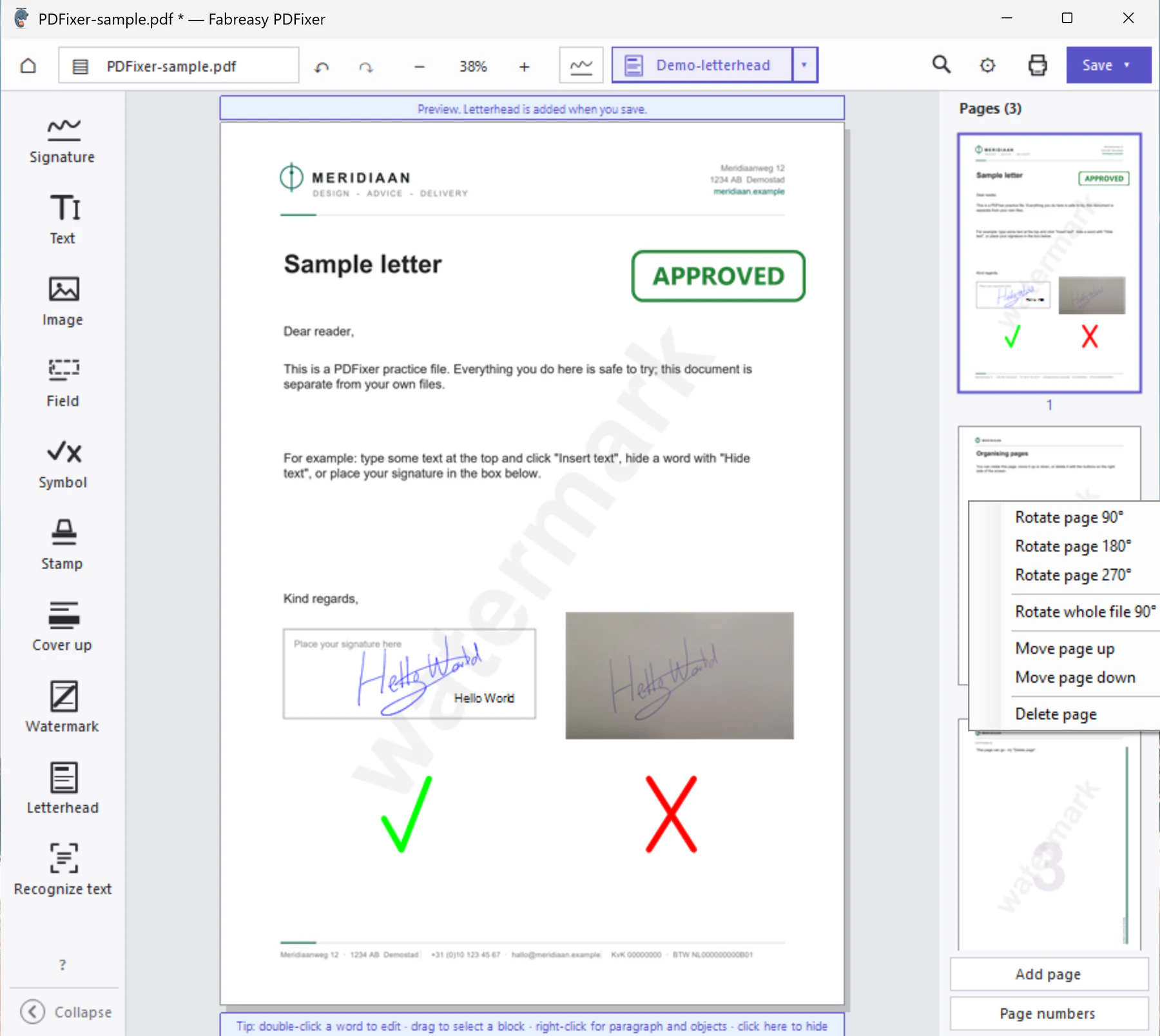
PDFixer is a small Windows app for exactly that. Open the PDF, drop your signature, name or stamp where they belong, add a watermark, symbol or an image, save. Done in a minute, no full-blown PDF editor needed.
✓ Create a transparent signature from a photo, or sign with a PDF certificate.
✓ Place company stamps, dates and page numbers
✓ Add text, watermarks and images to existing pages
✓ Quick corrections without recreating the document
Fully offline, on your own PC: Discover PDFixer now
Try it free for 14 days
Set up your letterhead once. Every PDF from Word, Excel or any Windows program
comes out right, from today.
No credit card, no account, no cloud. Installer verified by VirusTotal. Then €33.50 per user per year, excl. VAT.