
Add letterhead to PDF: One click. Branded PDFs.
Invoices, reports & proposals — always on-brand, from any software.
✨ Trusted by 1,000+ professionals worldwide
No costs, no hassle, no registration, cancels automatically
The ultimate Add letterhead to PDF solution including a extensive PDF toolbox — Designed for Windows

Add letterhead to PDF
When you automatically add a letterhead to a PDF, your documents stay consistent and professionally formatted across all systems. With Fabreasy PDF Creator you automatically insert a Add letterhead to PDF into PDFs, Word documents and Excel reports without any extra steps. Your corporate identity stays the same whether you work with different software packages, reporting generators or operate multiple business activities with separate letterhead sets. Fabreasy makes it easy to assemble letterhead, continuation pages and cover pages and apply them in the correct order. You automatically send a perfect PDF that always respects your brand, regardless of the application you are using. The printed letterhead disappears, but your brand identity remains.
Try it free for 14 days — then only €33.50 per year per user. (Site licenses available for teams and offices.)
FAQ: How to get started?
Download and install Fabreasy PDF Creator. Steps after installation:
- In Word, Excel or Drag & Drop, click Setup (red radar icon)
- Open the Letterhead tab and click Select letterhead
- Add your branding (Add letterhead to PDF) and select it
- Click Use selected and then Save
- Repeat this step for continuation pages. You are now ready to use Fabreasy. See the example on the right.
Want to use letterhead sets?
Click Advanced options, then select Help for detailed online instructions.
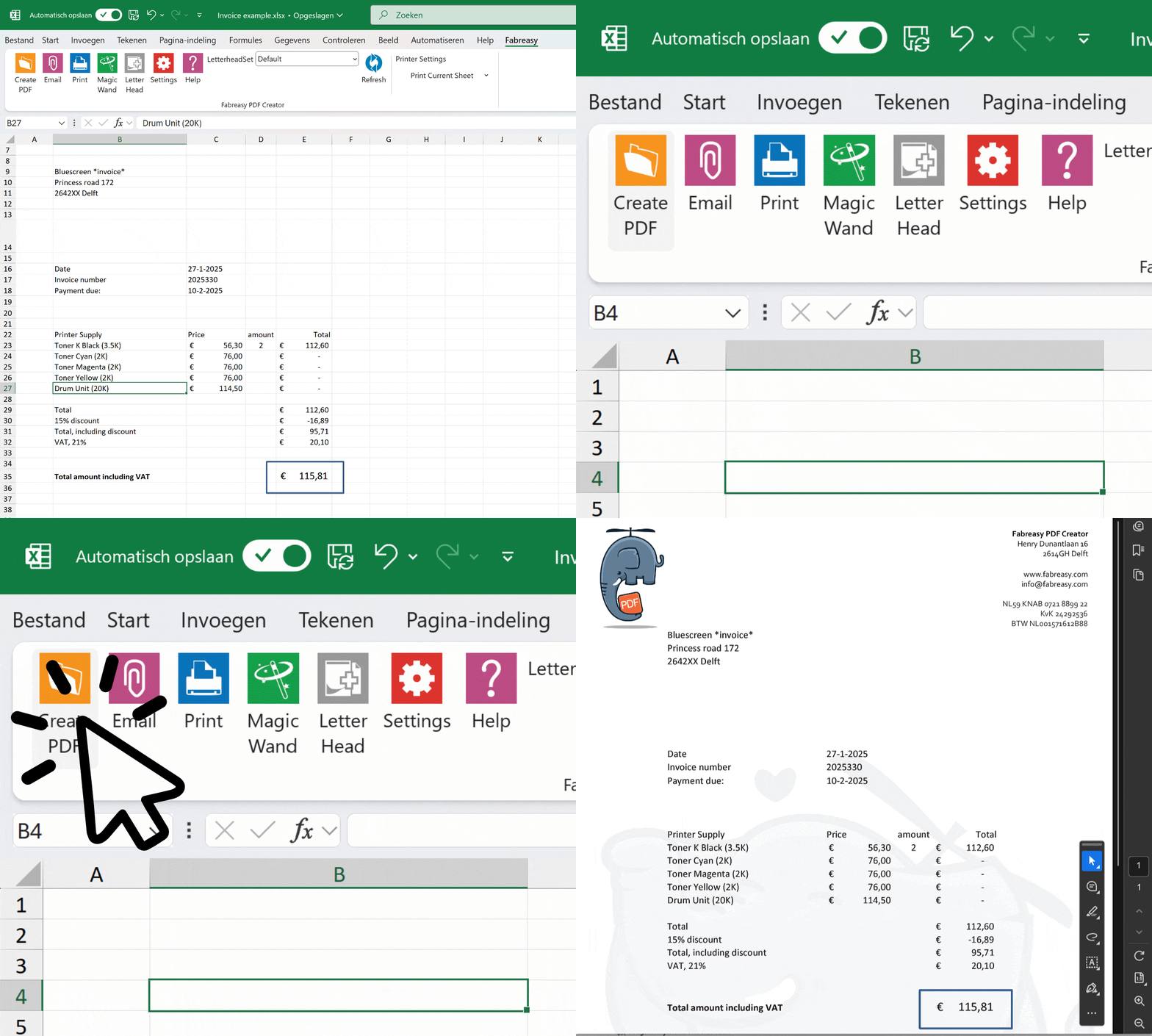
Add letterhead to PDF including visual signature automatically
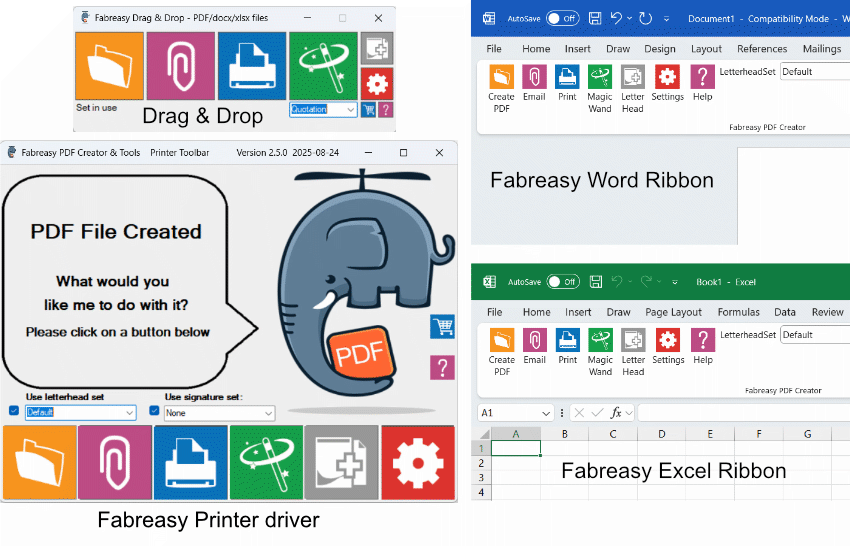
Create PDFs including Add letterhead to PDF quickly and effortlessly
Generate PDFs directly from Word and Excel, or by using the printer driver.
Already have PDFs? Just drag and drop them into Fabreasy.
Want to email instantly in the right branding? Simply click the paperclip
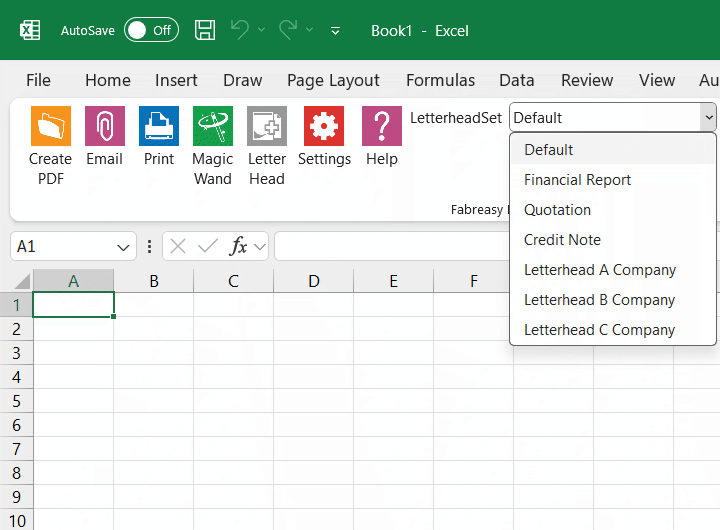
Add letterhead to PDF Sets for different business activities or companies
For example, for invoices, reports, or quotations.
Choose the order in which each type of letterhead is applied yourself.
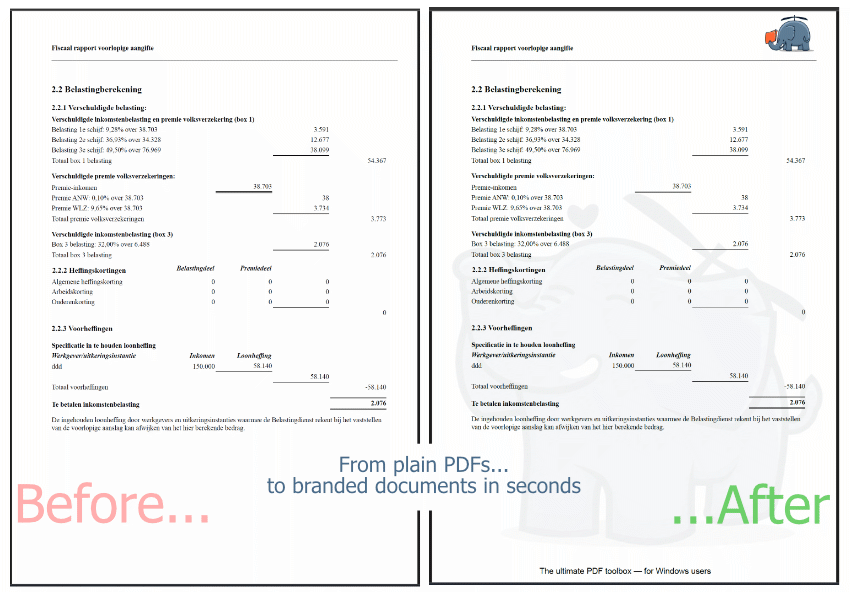
Add letterhead to PDF for your PDF reports
Drag and drop a PDF or entire folders into Fabreasy, and apply your branding to the desired pages.
Easily add visual digital signatures
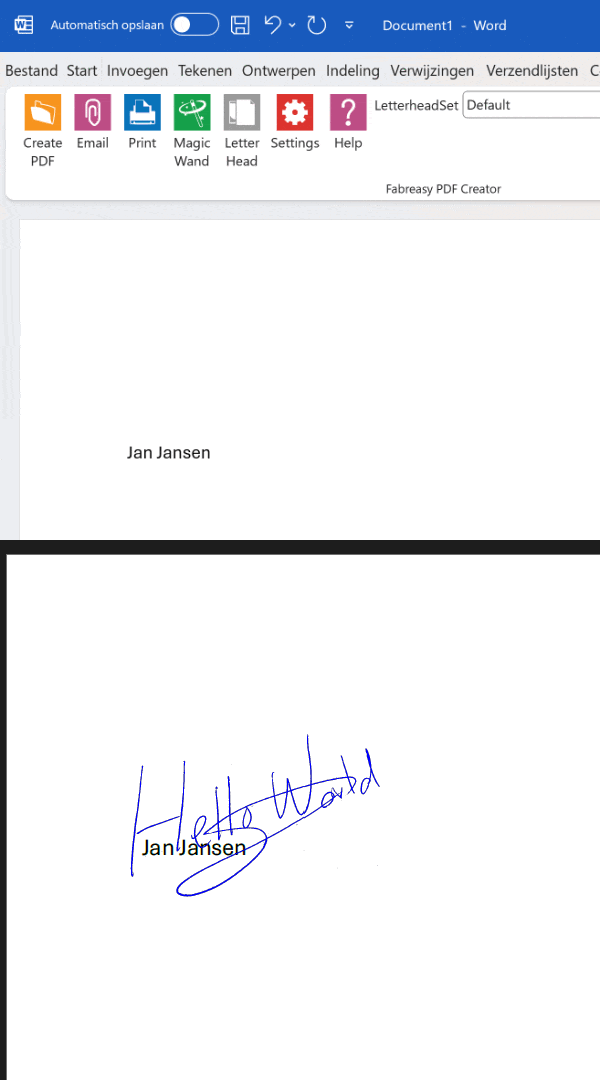
Place a signature in a fixed position or dynamically using text recognition.
No transparent signature yet? Quickly create one with our app.
Secure your PDF documents before sending
Secure your PDFs effectively and hassle-free
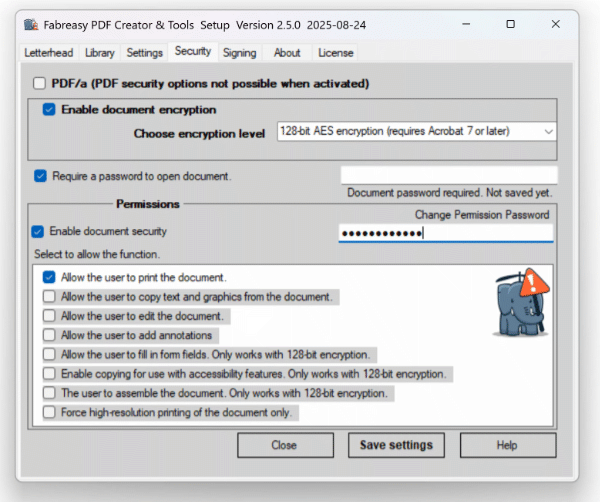
How securely are your PDFs being sent?
Is encryption enabled?
Is document editing disabled?
Can just anyone open the PDF?
Password-Protect PDFs
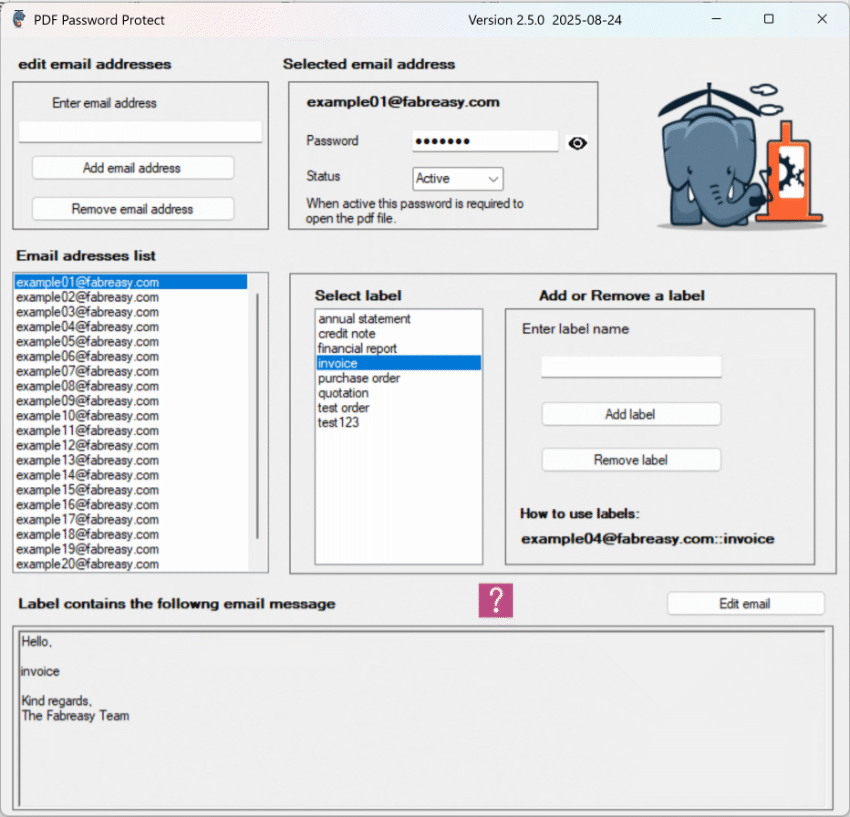
Automatically secure PDFs with a password linked to the recipient’s email address — only the intended recipient can open the document. Keep your information safe and GDPR-compliant.
Easily personalize the subject line and email body with labels — saving you time and effort.
To enable automatic passwords, simply add TO:emailaddress:label (please note :label required)
to your document — and you’re all set.
.
Adjust and refine any existing PDF
Editing a PDF? Do it effortlessly.
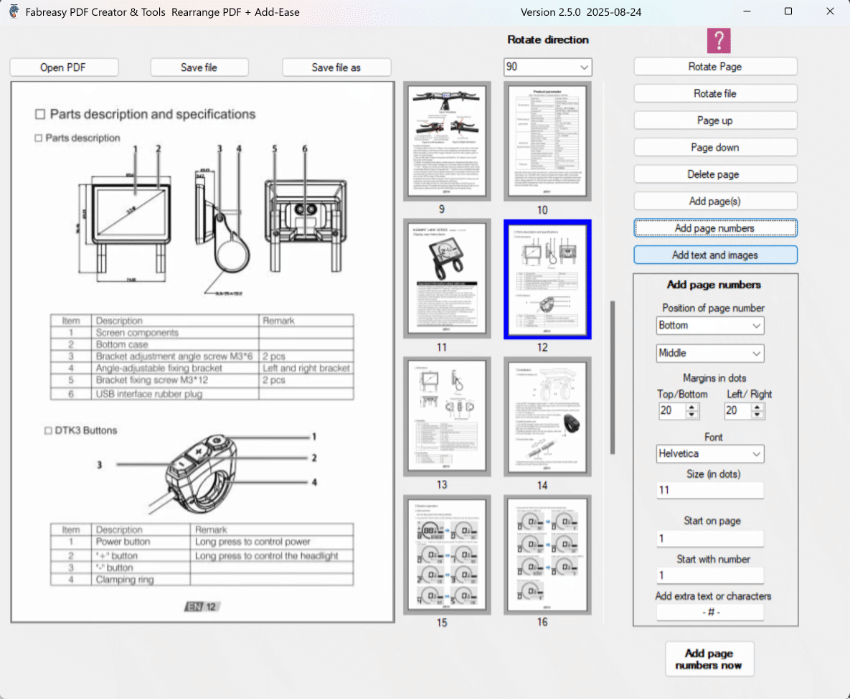
With the Fabreasy page rearrangement tool, you can easily move, delete, rotate, add pages and page numbers within a document.
Add-Ease: Add text and images directly to existing PDFs.
Complete PDF solution in one package
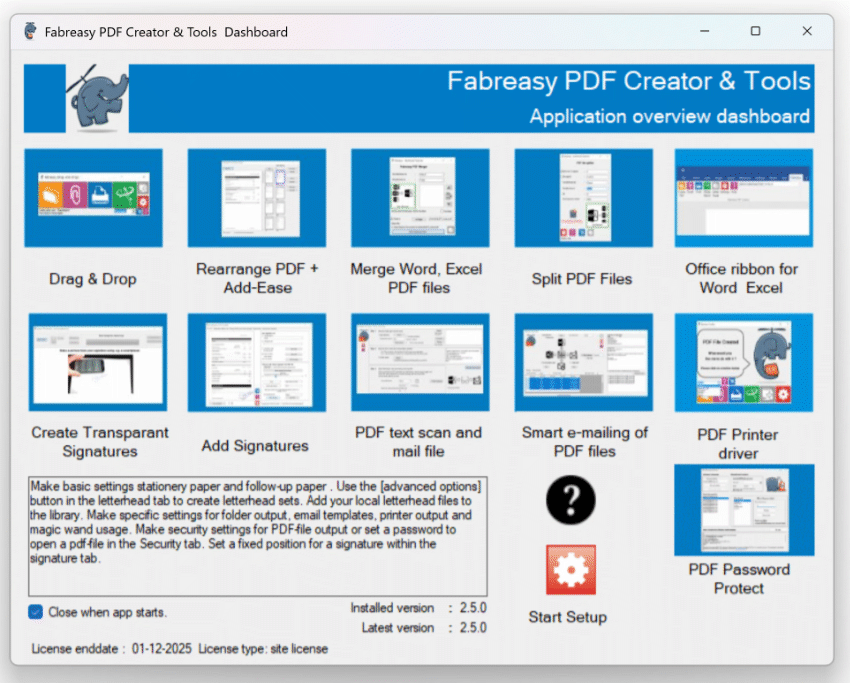
There’s more: Fabreasy Dashboard
All Fabreasy apps are bundled in the clear and intuitive Fabreasy Dashboard, giving you quick access to every feature Fabreasy has to offer.
Users call Fabreasy a Swiss Army knife for PDFs — a versatile tool that makes your daily work easier.
Who relies on Fabreasy — and what makes them choose it?
I want to deliver my reports quickly and efficiently including my Add letterhead to PDF. With Fabreasy, I can — directly from Excel or as a PDF from the reporting system. No hassle with printing and scanning, just a clean and professional end result.
💬 “Our reports always look professional. Thanks to Fabreasy, we save a lot of time and costs every single day.”
As an entrepreneur, I want my quotes and invoices to look professional without extra effort. Fabreasy ensures my PDFs instantly reflect my branding — no hassle in Excel or Word.
💬 “My quotes always look polished. My clients might not even notice, but it gives me a real sense of satisfaction.”
As an IT manager, I aim for more efficient document processes and lower costs. With Fabreasy, we save significantly on printing costs and streamline our workflow by adding Add letterhead to PDF directly to PDFs. On top of that, PDFs are now securely sent to clients.
💬 “With Fabreasy, we have simplified and secured our document processes. Less manual work, more consistency, and substantial cost savings. We can now manage with far fewer MFPs.”
Trusted by 1,000+ professionals

Try it for free, no strings attached!
Start your free 14-day Add letterhead to PDF trial today — no registration, no hassle




























Understanding how to add letterhead to PDF and why automated branding matters
Many organisations produce documents in Word, Excel, accounting suites, CRM platforms or other tools that export directly to PDF. While these systems are great at generating content, they do little to ensure that documents look consistent once they leave the application. Headers disappear, margins shift, and the final PDF loses its professional appearance.
That is where the need to add letterhead to PDF becomes clear. Instead of manually rebuilding your layout for every export, a PDF overlay lets you attach your official letterhead to any document after it has been generated. It provides a clean separation between the content and your branding, ensuring that every PDF leaves your organisation with the same polished presentation.
Fabreasy PDF Creator takes this one step further. Instead of dragging files through editors or adjusting templates manually, the software applies the correct letterhead automatically the moment a PDF is created. Whether the export comes from Word, Excel or a reporting engine, your PDF receives the right design without any additional steps. Adding letterhead to a PDF becomes an automated part of your workflow rather than a task someone needs to remember.
Consistent branding across first pages and following pages
Professional documents rarely use the same layout on every page. The first page often includes more detail, branding or contact information, while subsequent pages are designed to be cleaner and more minimal.
Fabreasy handles this automatically using separate rules for first-page and next-page layouts. You can define distinct designs for:
-
opening pages
-
continuation pages
-
simplified layouts for long documents
The result is a PDF with the correct structure, regardless of length. Reports, statements, proposals and legal documents all keep a uniform and predictable appearance without manual intervention.
Add letterhead to PDF from one central template library
Without a centralised system, teams often store multiple versions of letterheads on shared drives, desktops or email threads. This leads to inconsistencies, outdated formats and unnecessary rework.
Fabreasy solves this by managing all your letterheads in a single location. Whether you need:
-
variations for different departments
-
separate branding for multiple business units
-
seasonal or campaign-based designs
…Fabreasy ensures that everyone always uses the correct version. Updates are applied once and take effect everywhere instantly. When you add letterhead to a PDF, you know it is always the right one.
Faster workflows with fewer branding errors
Manual efforts to add letterhead to PDF often result in:
-
incorrect margins
-
missing logos
-
misplaced headers or footers
-
inconsistent typography
-
out-of-date templates
These mistakes take time to correct and create an unprofessional impression.
By automating the process, Fabreasy guarantees that every PDF receives the correct branding without user interaction. This saves time, reduces stress and significantly minimises the risk of inconsistencies. Whether your team exports a few documents a day or hundreds per week, automation ensures a clean, predictable and repeatable workflow.
A branding process that works across all document systems
Modern businesses use an ecosystem of tools: ERP, CRM, accounting platforms, cloud portals, project systems and industry-specific applications. Although these platforms differ, they all share one common output: PDF.
A solution that can add letterhead to PDF across all these systems provides real stability. Fabreasy integrates seamlessly with any workflow that produces a PDF file. As long as an application can export PDF, Fabreasy can apply your letterhead instantly.
This level of compatibility makes it ideal for organisations that rely on multiple systems but want a single, consistent branding layer.
Deliver a consistent brand experience in every PDF you send
Every document your company sends — proposals, invoices, analysis reports, project summaries or simple confirmations — communicates something about your brand. Consistency builds trust; inconsistency creates confusion.
By using Fabreasy to add letterhead to PDF automatically, you ensure that every outgoing document carries the same professional appearance. From one-page updates to extensive multi-page reports, your identity remains clear and reliable.
Fabreasy PDF Creator provides the solid foundation for branded PDF output: secure, automatic and ready to scale with your organisation.